Practical Zero-Trust Controls for Production AI Agents

Most organizations are now running agents that call APIs, touch data, and take actions. The failure mode is almost never the model. It is the identity, the permissions, and the lack of an audit trail that a human can actually read.
Most organizations are now running agents that call APIs, touch data, and take actions. The failure mode is almost never the model. It is the identity, the permissions, and the lack of an audit trail that a human can actually read.
Here is the minimum set of controls that have proven workable in production:
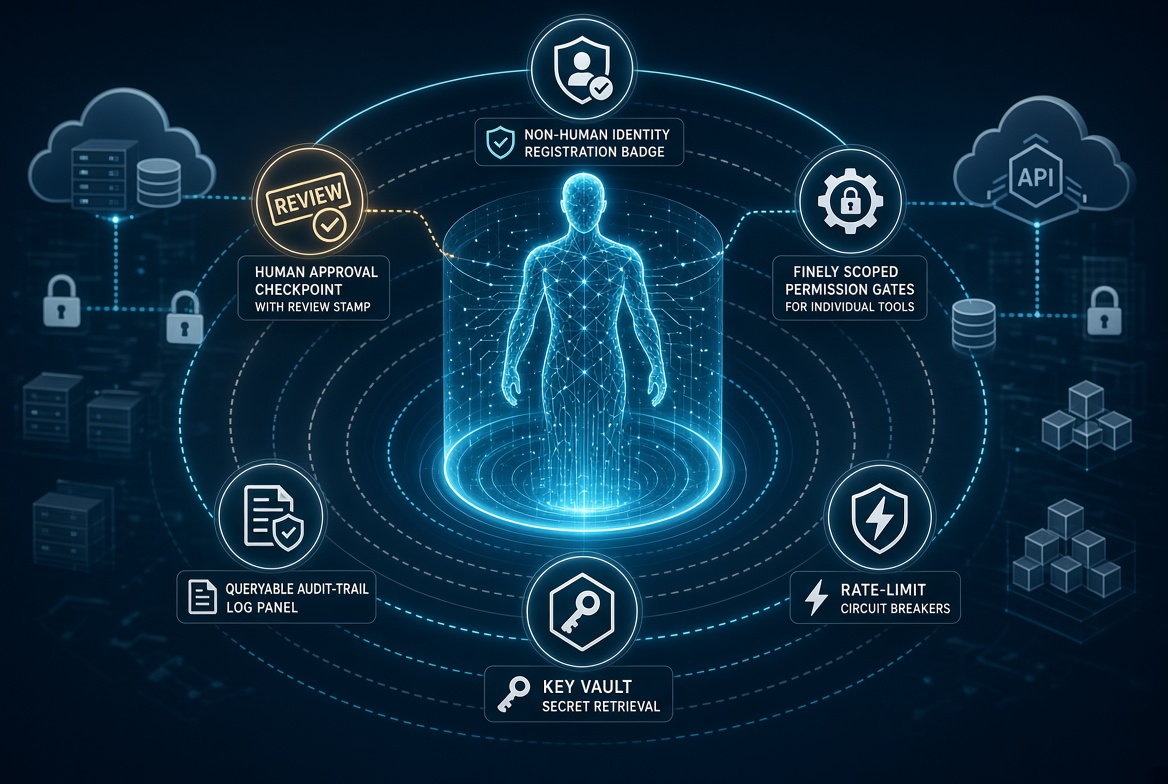
- Treat the agent as a non-human identity. Register it as an application registration or managed identity. Never let it use a human account or a shared service principal that other systems also use.
- Scope every tool call. Each tool the agent can invoke should require its own permission set. If the agent can both read mail and send mail, those are two different permissions and two different tools. Do not give it a single “Mail.ReadWrite” if you can avoid it.
- Force an approval step for any action that changes state outside the agent’s own workspace. Sending email, writing to SharePoint, creating a ticket, or modifying a cloud resource should hit a human approval or at least a high-signal notification channel. Read-only tools can be more permissive.
- Log the full reasoning and tool call in a place you can query. Store the agent’s plan, the tool it chose, the parameters, and the result in a table you can KQL against. If you cannot answer “why did this agent do that?” in under two minutes, the design is incomplete.
- Rotate and scope secrets aggressively. Long-lived client secrets on the agent identity are the fastest path to permanent access. Prefer managed identity or short-lived tokens. If you must use a secret, store it in Key Vault and retrieve it at runtime only.
- Rate-limit and circuit-break. An agent that starts looping or calling the same tool hundreds of times in a minute is usually broken or compromised. Put hard limits at the tool layer, not just inside the prompt.
Teams that skip these steps usually discover the problem only after an agent has already sent email or modified a resource they did not intend to touch. The controls above are not theoretical; they are the difference between an agent you can leave running overnight and one you have to babysit.